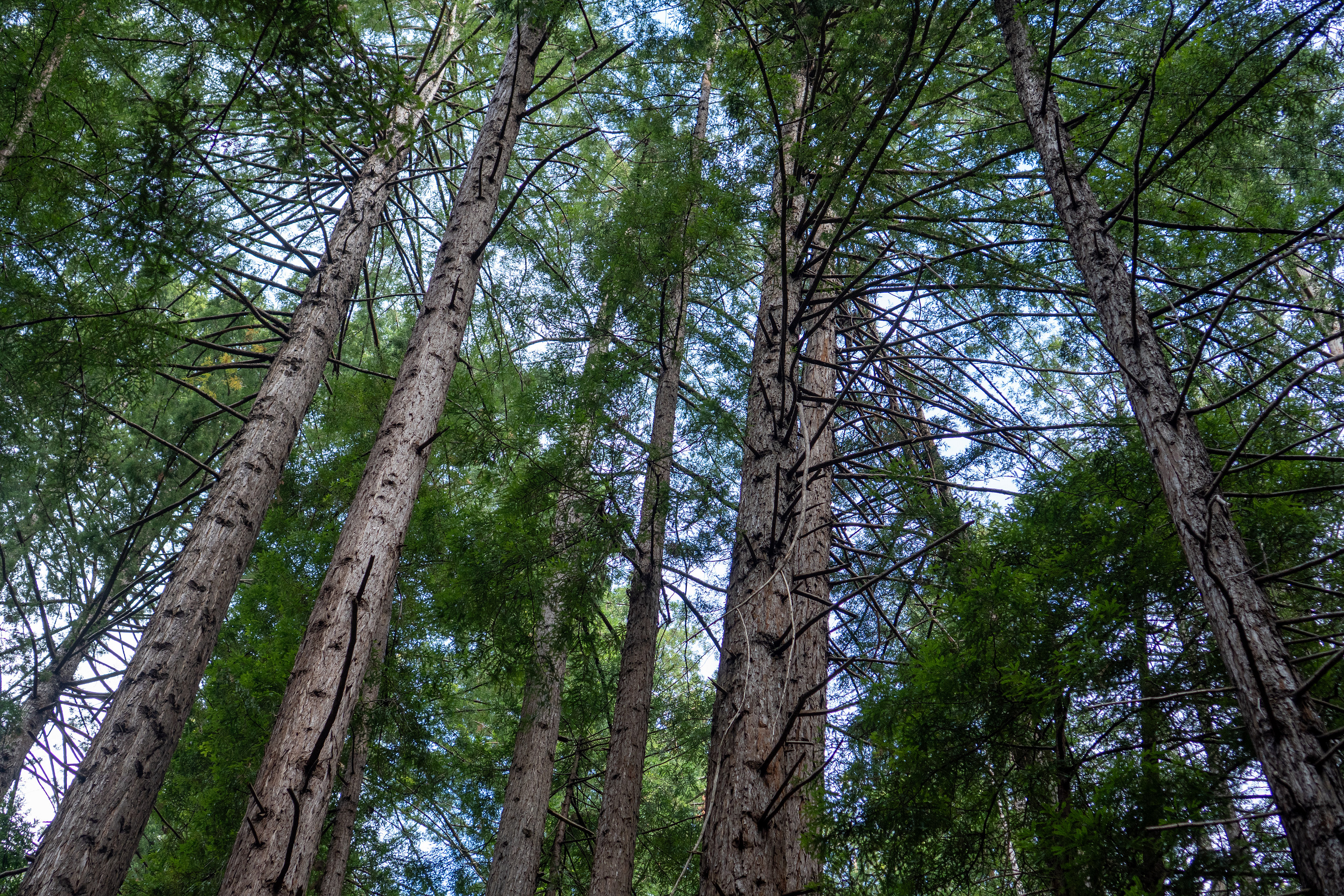
Limekiln State Park redwoods
Limekiln State Park redwoods
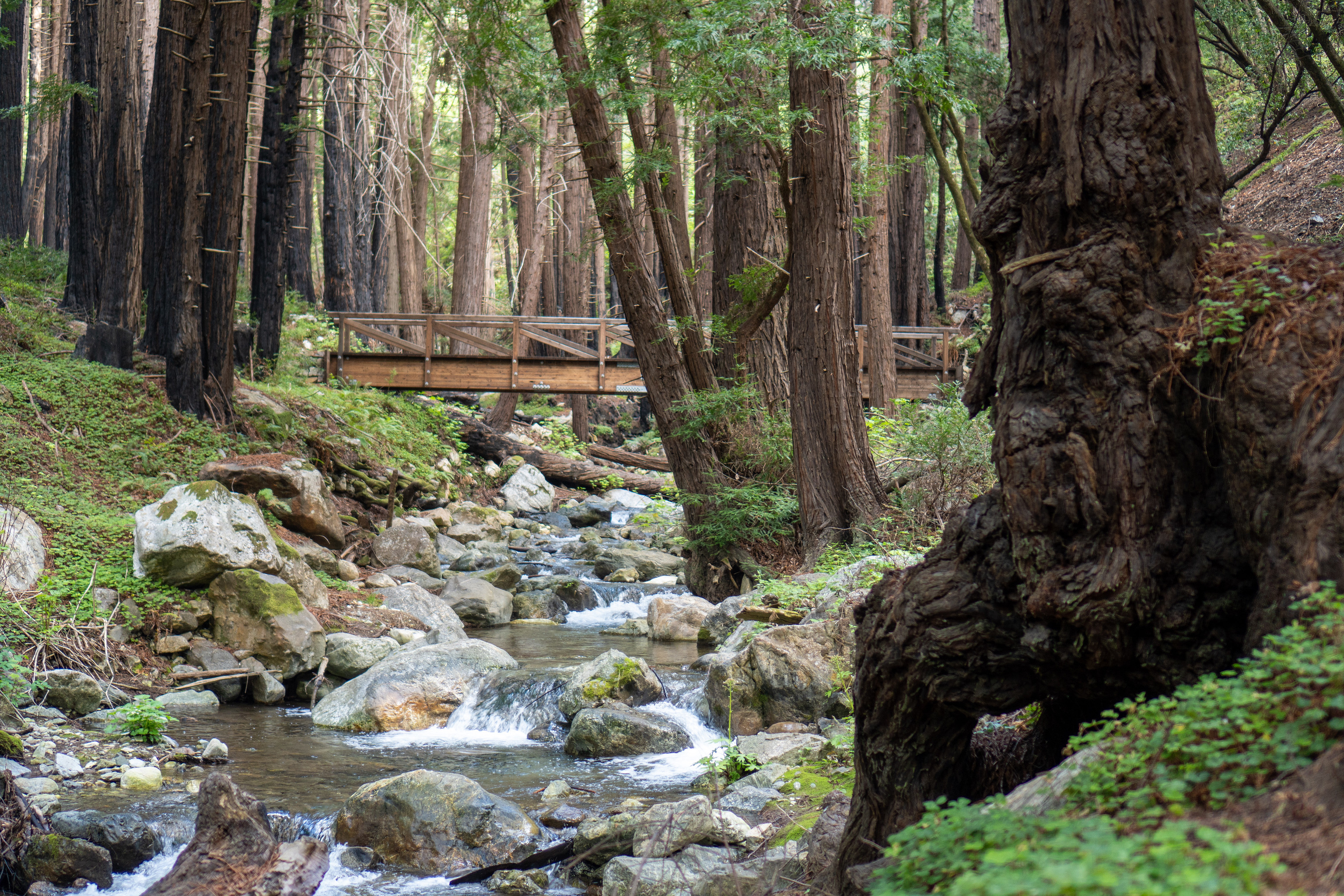
Limekiln State Park near Big Sur, California.
Writing go code is a thousand paper cuts but then you get that nice beautiful binary and you put it wherever you want and I’m still not sure it’s worth it.
Well done Bruce Springsteen. I’m touched by the designation “Winter of ‘26.” Some events are too momentous for a descriptive label. Here’s hoping we remember it as a turning point, a wake-up call to the complacent.
US politics are more about identity and power than principles, even though we like to pretend otherwise. In my high school in conservative, rural Idaho, we would debate the virtues of small, limited government, second amendment freedoms, family values candidates, and I was duped into thinking the choice was between Platform A or Platform B, when it was really a choice between giving power to a “friend” or an “enemy.”
It took me an embarrassingly long time to realize that my principles were more aligned with the Democrats, even though I felt “more at home” among the Republicans. But I have also changed, trading Idaho for Seattle, then Los Angeles, to the point where today I feel more at home in a city coffee shop than a county fair or a church service.
While I have always voted against Trump, I have supported some candiates that I now strongly regret. And I try my best to see the humanity in those who did vote for him, because everyone has their own journey.
But today, everyone must oppose the Trump administration, with its calculated, provocative, performative violence, including but not limited to the killing of Renee Good and Alex Pretti. We cannot accept the lies, obstruction, and cover-ups that have followed. Anybody involved in or responsible for these violent acts or their cover-ups should be impeached, removed from office, and/or put in jail for their crimes. Every person in power who refuses to hold these offenders to account should be voted out of office and remembered as the cowards that they are.
We cannot wait until the next election to take power away from these monsters. Speak up today, set the record straight if you’ve had a change of heart. Call your representatives and tell them to defend us and enforce our laws.
ICE is not our friend; Trump and his enablers are our enemy.
I got a new watch.
I’ve almost exclusively worn an Apple Watch for the past several years. I still wear one when exercising and sleeping, and I plan to still wear it on some other occasions, but I wanted to see what it was like to go back, shall we say, to a simpler time.
My initial feelings are a happy dose of nostalgia. Back before all of our phones and watches and cars were synchronized to NIST time, I would carefully synchronize my Timex digital watch to the school bell time. It was satisfying to know exactly how much time was left in class (or passing period) while most of my classmates just had to wait and wonder when freedom would come (or end).
With a “dumb” watch, there is this same sense of satisfaction, that I know the precise time not through the wonders of the internet, but because I made the effort to accurately set my watch.
My new watch is a GMT watch, which is a popular watch style over the last century or so, because it makes it easy to know the time in a second or even third location, and can make it easier to change the time as well.
There are many different styles of GMT watch, but they are usually distinguished by a separate “GMT hand” that makes one revolution per 24 hours, compared to a traditional hour hand that revolves once per 12 hours. A GMT watch typically has the traditional hour hand as well, which most people call the “local hour hand,” because it tracks the time of your current location. Both of these hands are typically aligned to the same minute hand.
Being non-smart watches, they are relatively simple to configure. A true GMT or flyer GMT lets you adjust the time (minutes and hours) on all three hands simultaneously, and then jump the local hour hand forward or backwards an hour at a time. On a caller GMT or office GMT, the jump function moves the GMT hand forward or backwards an hour at a time. Either way, you can track both the local time and a separate reference time, but the caller GMT is more cumbersome to travel with, because if you change time zones, you have to reset the watch the same way you would any watch, and then also fix the GMT hand to point back to whatever reference time you want to track. A flyer GMT lets you quickly adjust the local time without messing up the GMT hand at all.
Many GMT watches also feature a rotating bezel labeled on a 24-hour scale. This gives you a way to quickly change the meaning of the GMT hand by shifting the labels instead of the hand. Hence you have the ability to track a potentially third time zone. I say potentially because on most GMT watches with a bezel, the bezel is the only set of 24-hour labels, so if you rotate it, you might not know exactly where the GMT hand is pointing on the “natural” set of labels.
Here are some examples of tracking two or three time zones on a GMT watch:
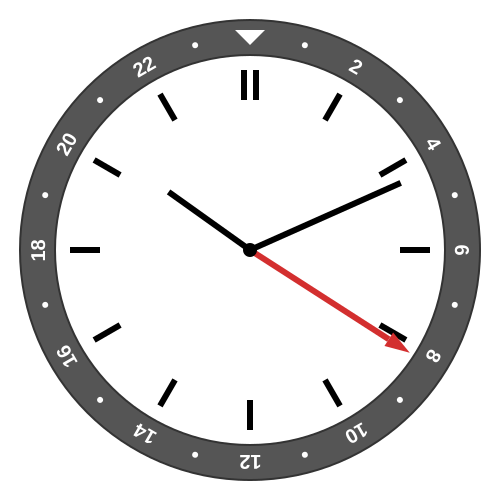
It is 10:11 a.m. in Central European Summer Time, and the GMT hand is showing 08:11 UTC.
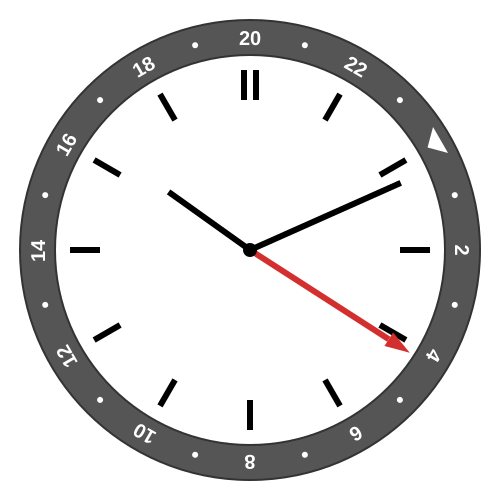
By rotating the dial four 15-degree clicks, we can read the New York Daylight Saving Time (UTC−4) as 04:11.
In these examples, note that the twelve o’clock position represents midnight UTC, and in the second example, the 20 (which is −4 modulo 24) lines up with this slot so that we can read UTC−4. And even with the bezel rotated, you get a sense of the UTC time because you will at least remember where 0, 6, 12, and 18 would be on the unrotated bezel.
Although a GMT watch only has a few configurable parts (minutes, local hour, GMT hour, and bezel rotation), you get to choose what the configuration should be. If you really wanted to, you could have the “local time” always be your home time and the “GMT hand” be your current local time.
I knew I wanted to use the local hour hand the normal way, with the local time of wherever I happen to be (usually in Los Angeles). At first, I thought that I would use the GMT hand for UTC, and then rotate the bezel to whatever second time zone I was actually interested in. But I was quickly annoyed that the direction of the GMT hand didn’t really have any meaning to me.
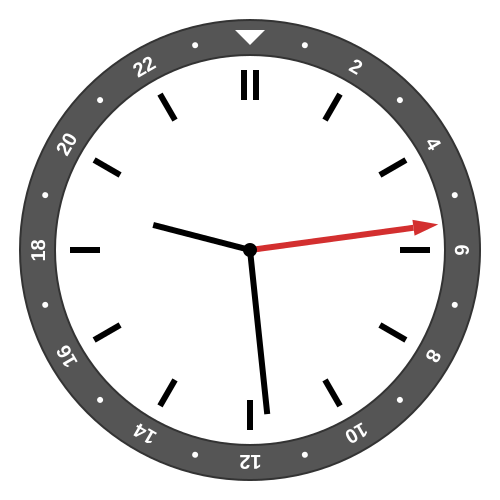
At 9:29 p.m. Los Angeles winter time, it is 05:29 UTC
Next, I decided to use my home time (or at least UTC−8, more on that in a bit) for the GMT hand. This way, no matter where I am in the world, the GMT hand in the upper half means it is night in Los Angeles, and in the lower half means it is daytime.
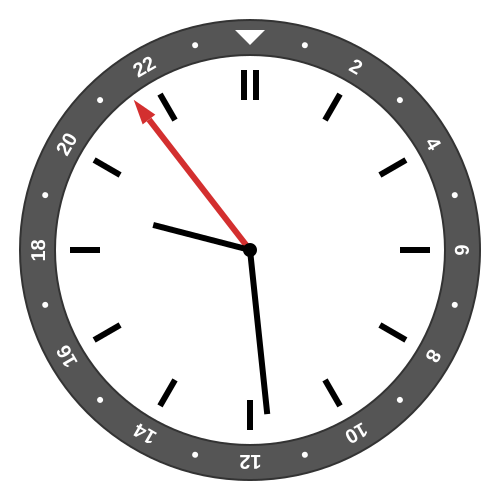
Still 9:29 p.m. in Los Angeles, with the local 24-hour time of 21:29 shown on the GMT hand
Then I realized that, because my watch doesn’t have a fixed set of labels, I could orient the “natural” 24-hour scale with midnight at the bottom and noon at the top, imitating the path of the sun. I decided to keep the bezel oriented with the zero marker at 6:00, so that I can read the Los Angeles 24-hour time off the bezel, if I want.
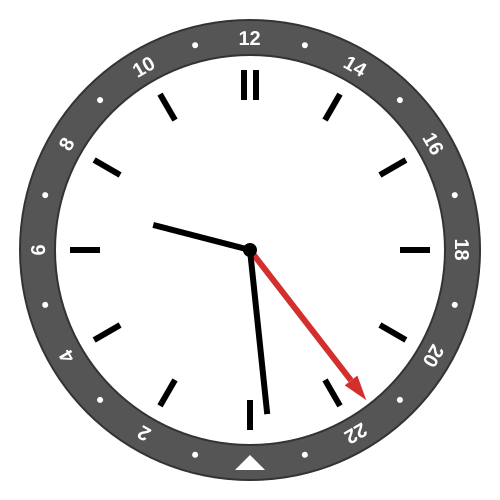
Again 9:29 p.m. in Los Angeles, with the local 24-hour time of 21:29 shown and the bezel rotated so that noon is at the top and midnight at the bottom.
Then when traveling, I can intuitively read my home time off the GMT hand.
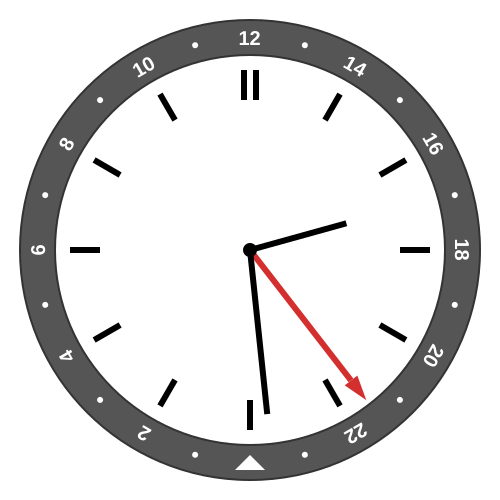
Jumping the local time to 2:29 p.m. (Tokyo time), the GMT hand and bezel still pointing to Los Angeles time of 21:29.
And in this configuration, midnight UTC happens when the GMT is at the two o’clock position, which means I can easily spin the bezel to read a third time zone, for example, putting the 1 at two o’clock to read UTC+1.
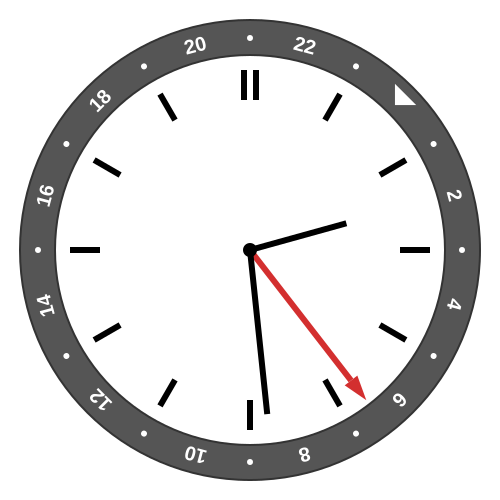
Still 2:29 p.m. in Tokyo, and 06:29 in UTC+1. Evening in Los Angeles.
Here is where things get a little speculative because I’ve only had the watch for a month, and haven’t had to transition to summer time. So I have plans but maybe I will change my mind after some experience.
The Los Angeles time zone is only UTC−8 on winter time. For the rest of the year, we observe Daylight Saving Time, which puts us at UTC−7.
There are a lot of reasons to leave the GMT hand at (noon-on-top) UTC−8. First of all, it makes adjusting for Daylight Saving Time a simple jump of the local hour hand. It also preserves the two o’clock UTC reference point year round, making a third time zone a bit easier. It is also somewhat convenient because I can still track (approximate) astronomical noon and midnight.
But it also means that during the summer, if I want the 24-hour bezel to track Los Angeles 24-hour time by default, then it has to be one 15-degree rotation askew.
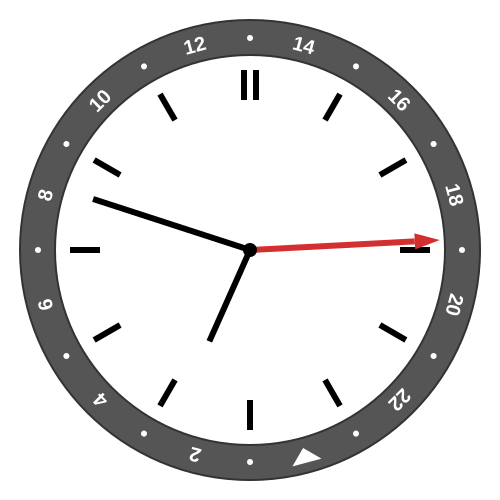
Local Los Angeles summer time of 6:48 p.m., the bezel rotated to show UTC−7 time of almost 19:00, but the GMT hand also shows the natural solar time of almost 18:00.
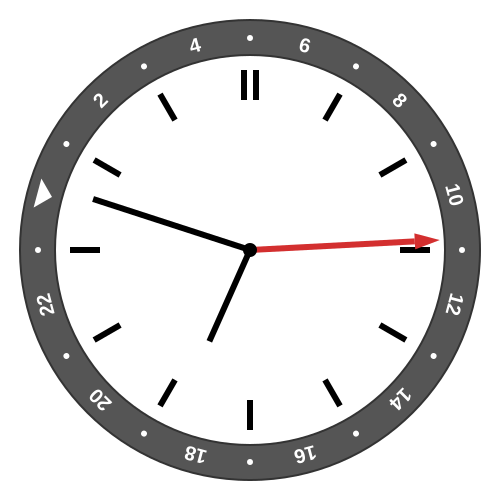
Quick spin of the bezel, aligning the 9 with the two o’clock marker, to check UTC+9 Tokyo time, where it is nearly 11 a.m.
Many years ago, I tried to use the Apple Watch GMT Face and didn’t last long. I looked at it again to remind myself why I don’t like it.
First of all, you have no choice about any orientations. The local hand has to match your local time (but at least it automatically adjusts when you travel). And of course, up has to be midnight because the programmers might die if they had to add that level of complexity.
The GMT hand also has to match your local time as well. As I mentioned, I don’t like how this messes with my intuition in the admittedly rare case when I’m in a different time zone.
You track a second time zone with a software spin of the bezel. Making use of the flexibility of a digital screen, the bezel is two-toned with the colors representing night and day, based on the current sunrise and sunset in the second time zone. Analog GMT watches often have two-toned bezels, with transitions fixed at 6 and 18. (You could argue that 6 a.m. and 6 p.m. are more useful markers than sunrise and sunset in a time zone where you aren’t currently located.)
Unfortunately, the Apple Watch bezel isn’t actually labeled except for the index closest to the hand, because otherwise the digital face gets too cluttered. Even worse, if you have your watch set to show 12-hour time, the index gets labeled with the 12-hour time, with no indication of a.m. vs p.m. except for the color of the bezel.
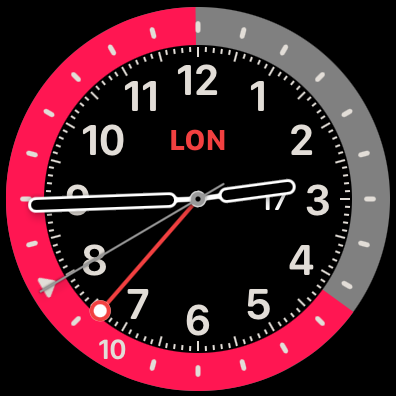
Apple Watch showing 2:44 p.m. in Los Angeles, 10:44 p.m. in London. You infer that pink is night because it is so long, or from the triangle that still marks midnight. Note that the GMT hand tracks Los Angeles time (currently UTC−8), but with midnight on top, so UTC midnight is at the eight o’clock marker.
Finally, and this is an ongoing gripe I have against Apple, by default the time zone label in the middle of the face says CUP for Cupertino (just like in iPhone Settings). If that annoys you, you can change it to SF for San Francisco. Neither of those is the correct name of the time zone. Twenty years ago it was cute to label the Pacific time zone as Cupertino in honor of your headquarters. It’s not cute anymore.
Many years after starting The Wheel of Time series (I took a few years’ hiatus between the first 7 and final 7 books), I finished it. Great world, great characters, overall lots of fun.
Hard to do the series justice, but I guess I would say the first few books are the most exciting, the middle books make for some interesting world building, and Robert Jordan started to pick up steam again before his life was cut short. I don’t believe he ever would have ended the series, too many ideas and too many stories.
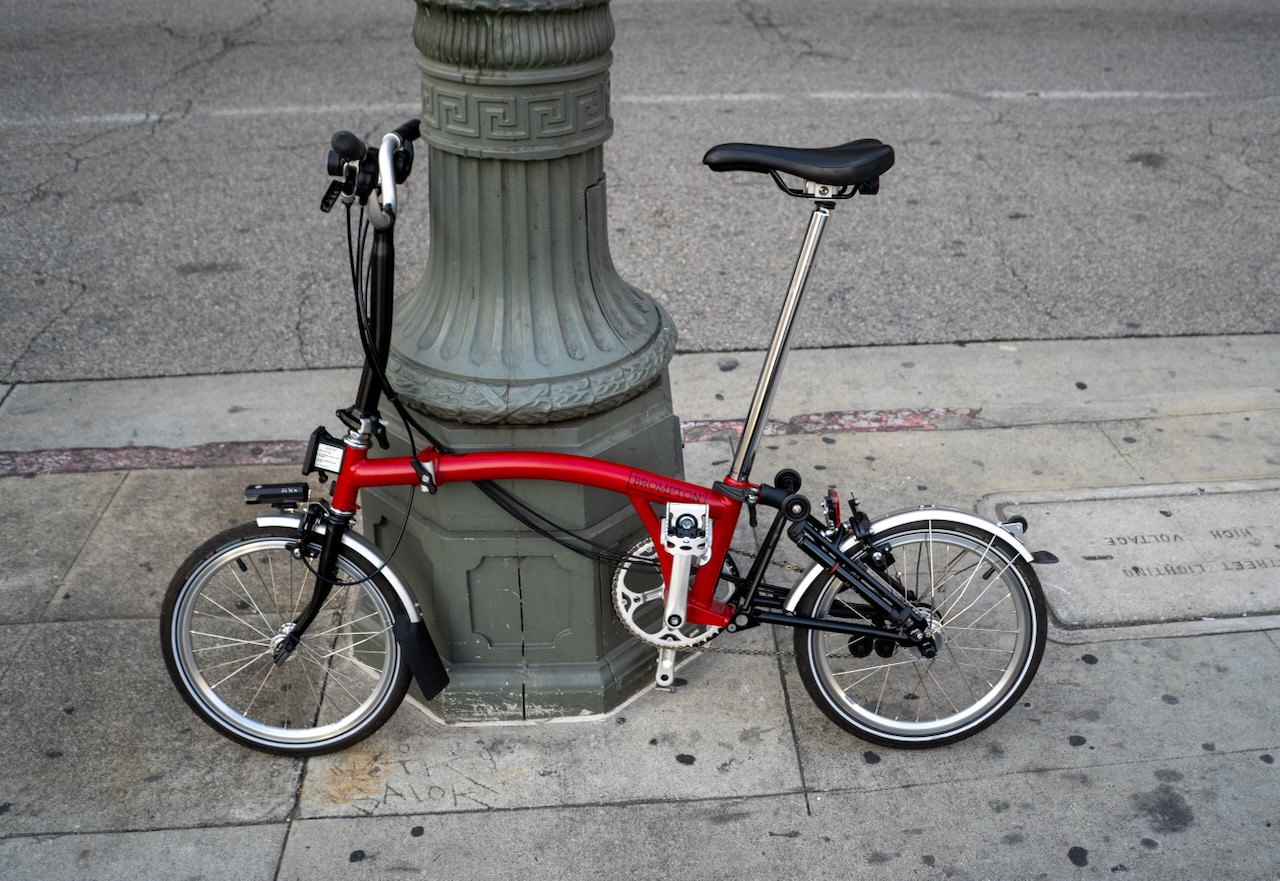
On a single ten-minute ride from the bus stop to my house, two middle-school-aged kids and one preschooler complimented my bike.

The backyard of my childhood home, Pocatello, Idaho. When I was a kid it was potatoes on the other side of the fence.
Proud of my kiddo who raised $200 for the Trevor Project by selling crocheted frogs at a “marketplace” event put on by the high school.
Many years after starting, I finally finished Robert Jordan’s Wheel of Time series. I think I did the whole thing by audiobook, which by my calculations (assuming my typical 1.4x speed) is 321 hours of audio. Great series!
I’m slowly moving to Jujutsu for my version control needs. For years, I’ve been using Mercurial-based interface to Piper at work and Git at home, and switching challenges my muscle memory. Jujutsu provides a common interface that can handle a central repo in either format. I find it easier to work with than Git or Mercurial, but there is a learning curve.

Roberto Clemente Bridge and Downtown Pittsburgh
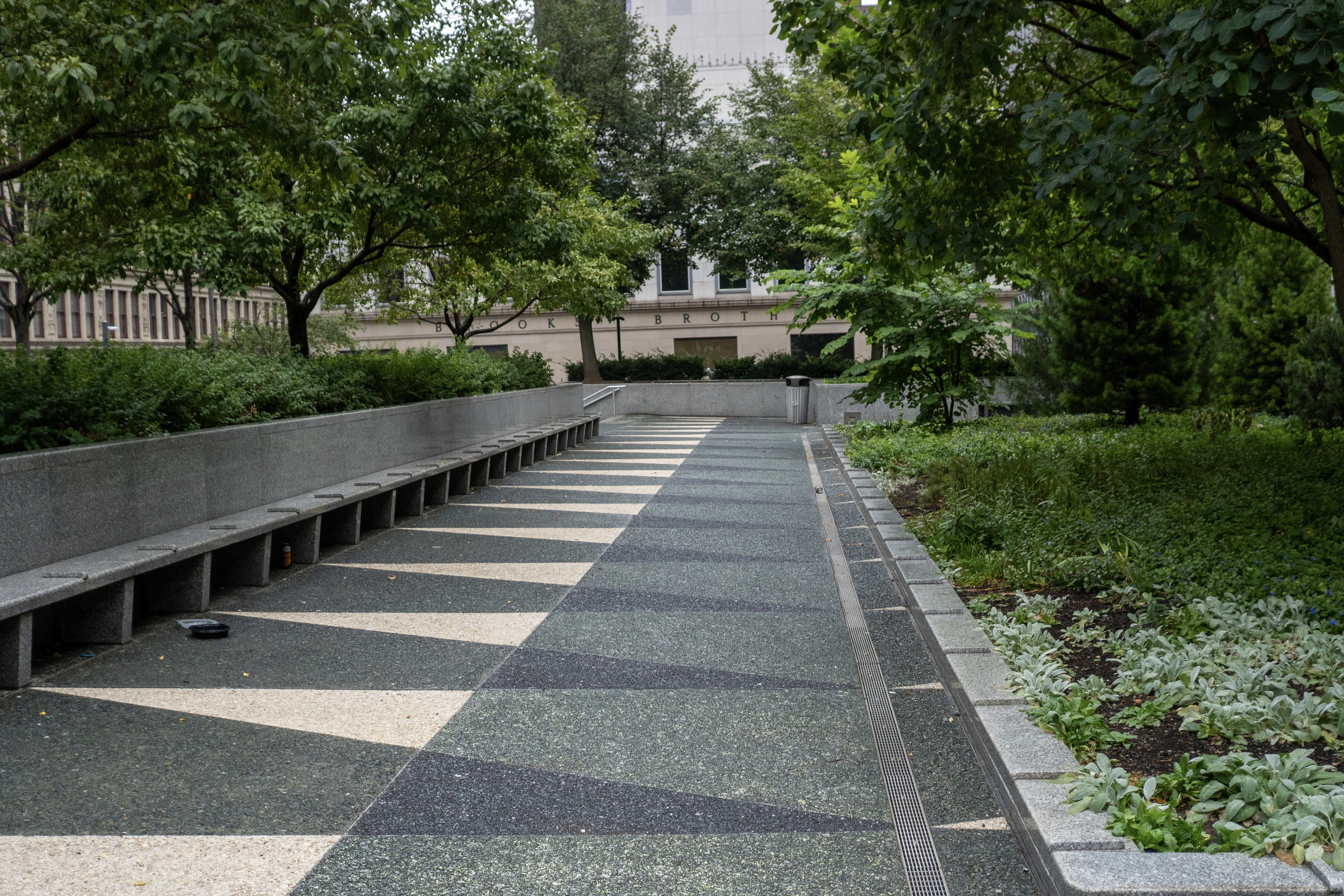
Mellon Square, Pittsburgh. I love how much seating there is at this park, even if no one was taking advantage.
It is long past time for a screenshot file type. Pixel-based image format with selectable text and clickable links, annotations, and a context link to view the original source.
(Most of this you could do with pdf, but you could also do it more simply. Either way, phones and computers should be able to create them properly from apps and web pages.)